Skip to content
TaskCard day view in light mode: a morning of colored time blocks on an hourly planner grid

Visual day planner for iPhone and iPad

Time block your day, hour by hour

TaskCard turns your day into a visual time grid. Block out your hours, drag a card to a new time, and get reminded the moment a block starts.

iPhone and iPad · iOS 17.0 or later · 7-day free trial

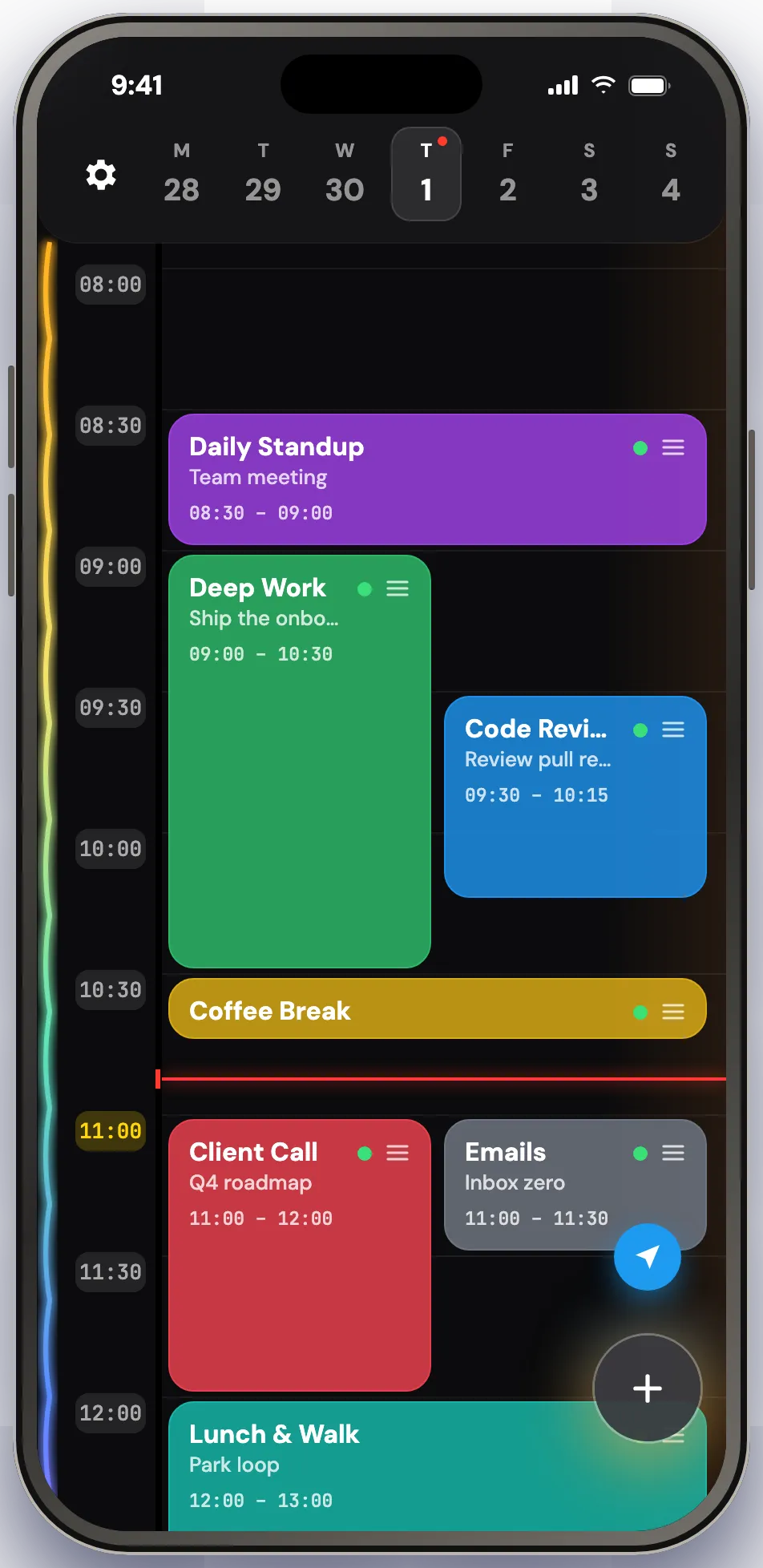
Most planners hand you a list and leave the hard part — when — to you. TaskCard asks for a start time and a duration instead, and the task becomes a block on a 24-hour grid. Blocks that share an hour sit side by side, so a busy stretch still reads at a glance, and the current time line is always visible.

It is one screen. Create, move, stretch, complete or delete a block without leaving it. Built for people protecting deep work, students laying out study sessions, and anyone who needs the day in front of them instead of in a list.
Drag and drop

Drag a card, change the plan

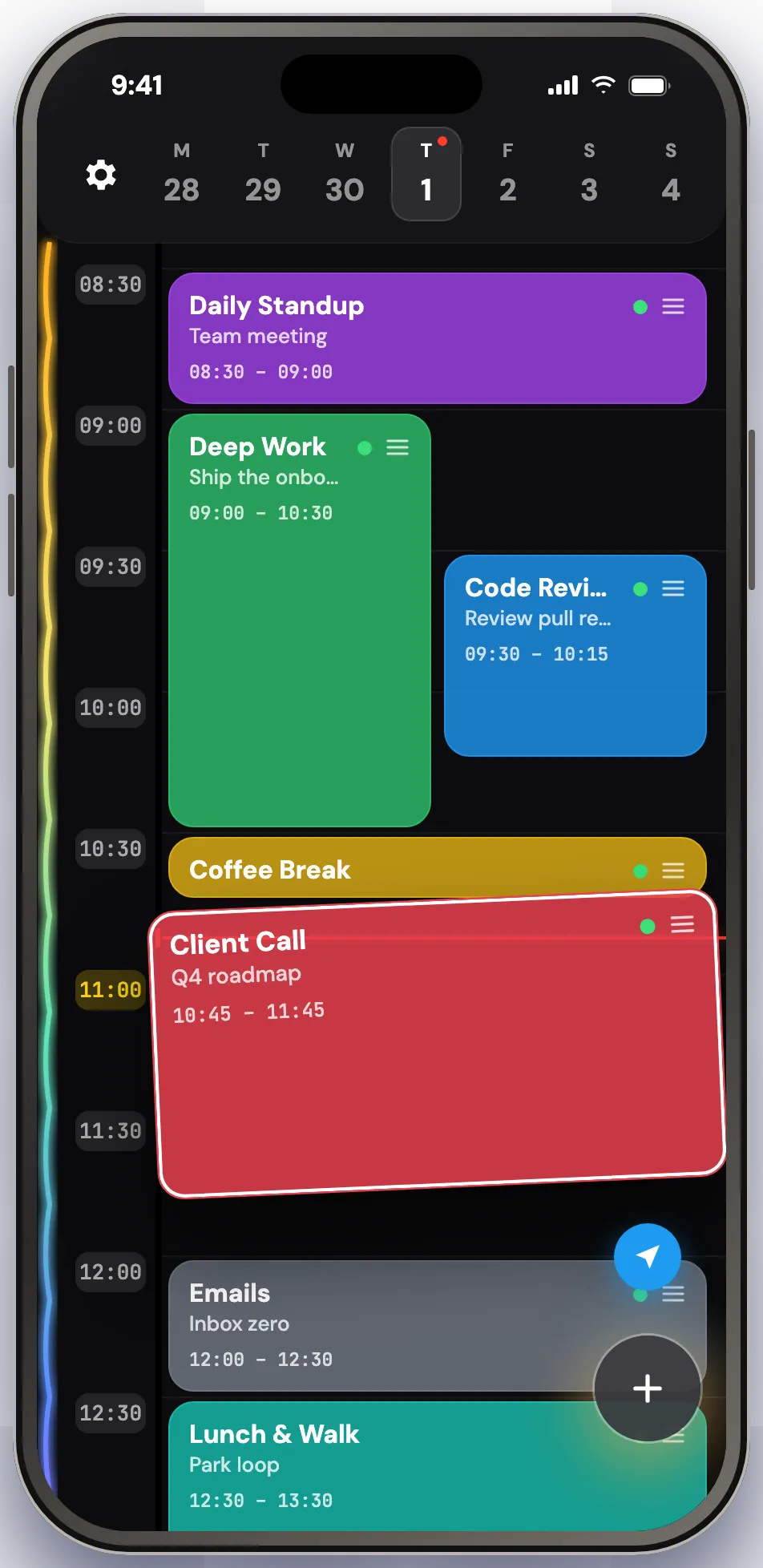
Plans change. Drag a card to a new hour and it lands exactly where the lifted preview sat. Pull its edge to make it longer or shorter. A block that crosses midnight stays visible on both days, and the rest of the day stays readable around it.

A task card lifted off the TaskCard time grid mid-drag, on its way to a later hour

Pinch to zoom

Day, week, month, year — one gesture

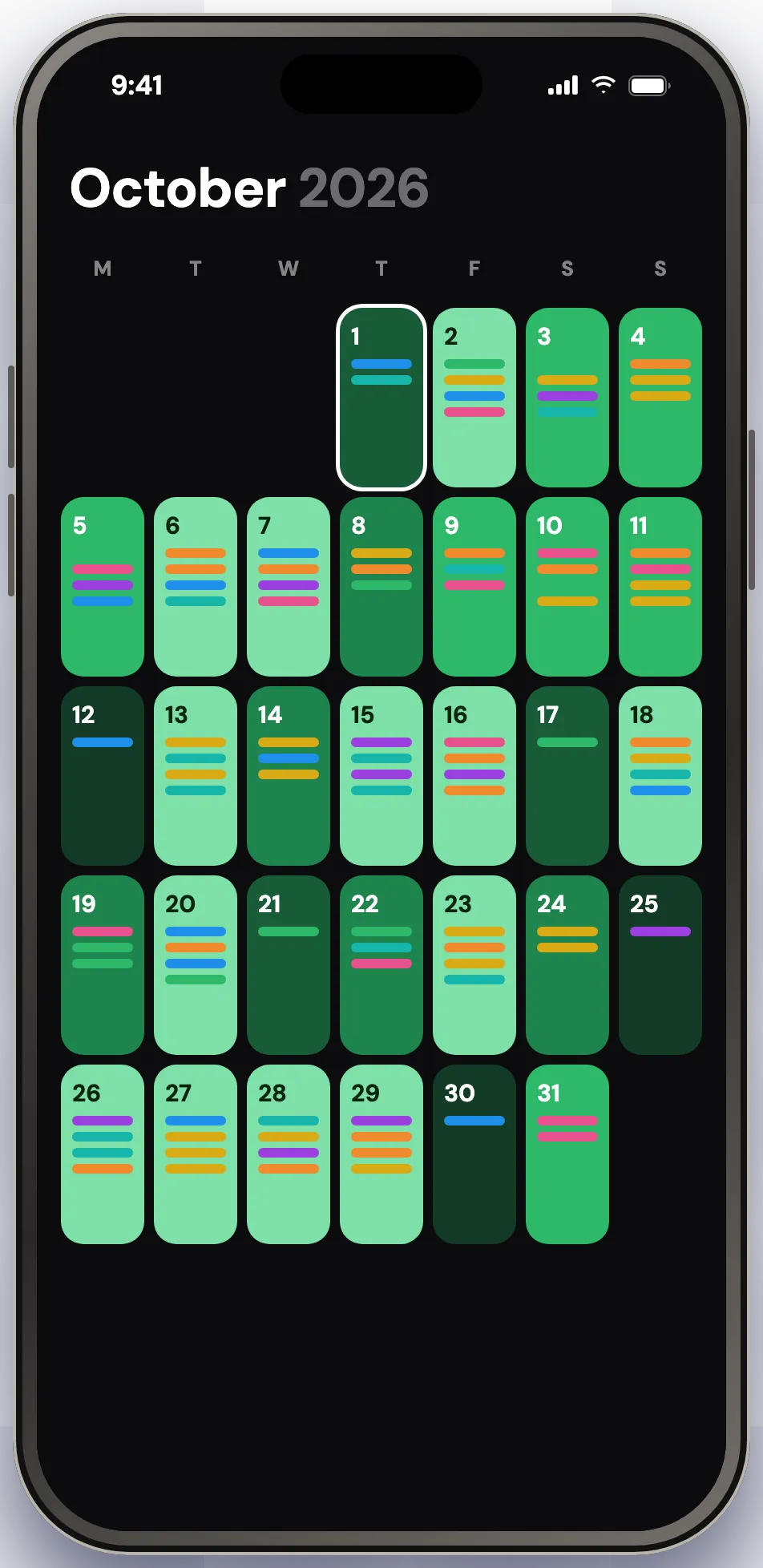
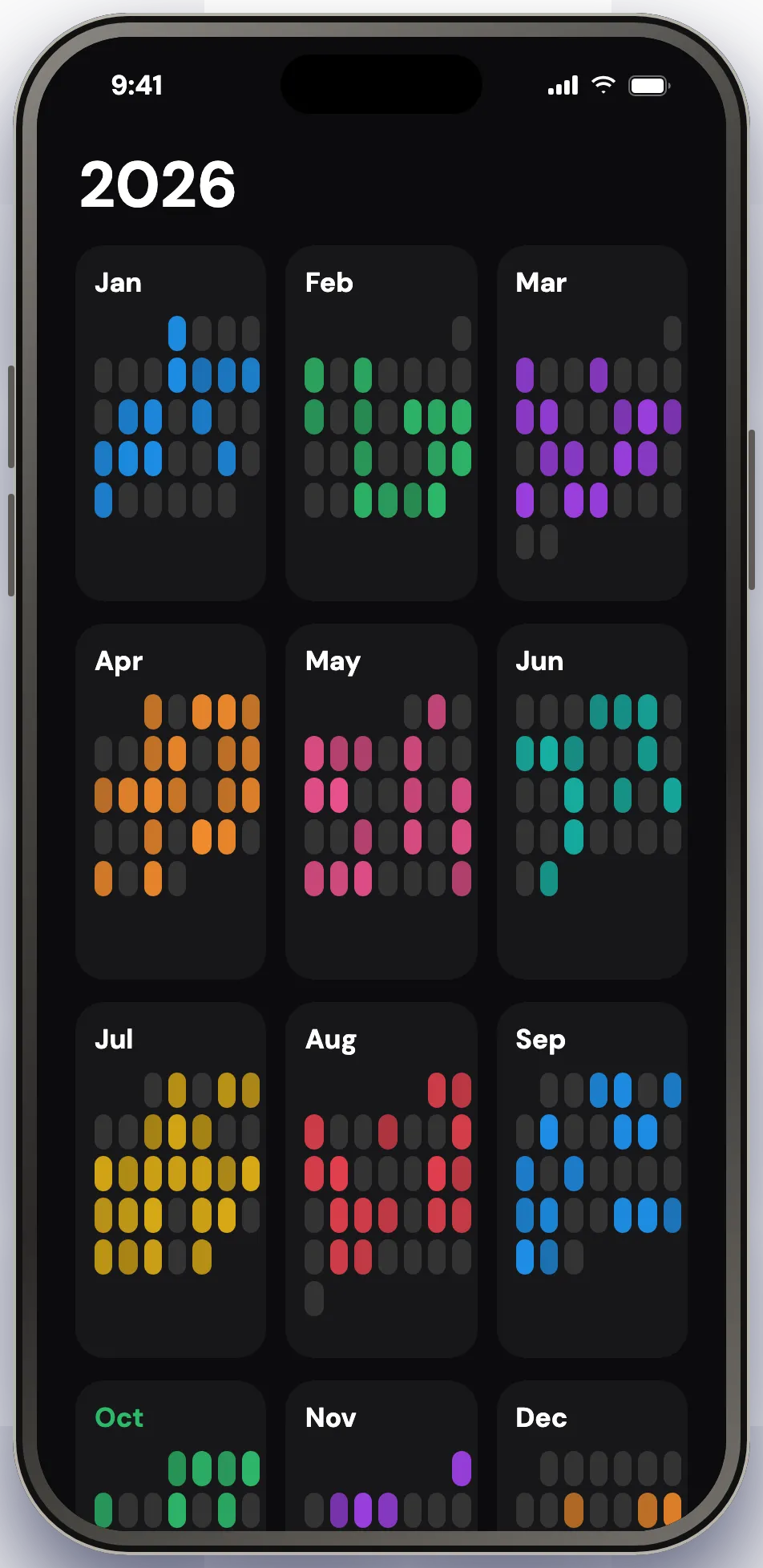
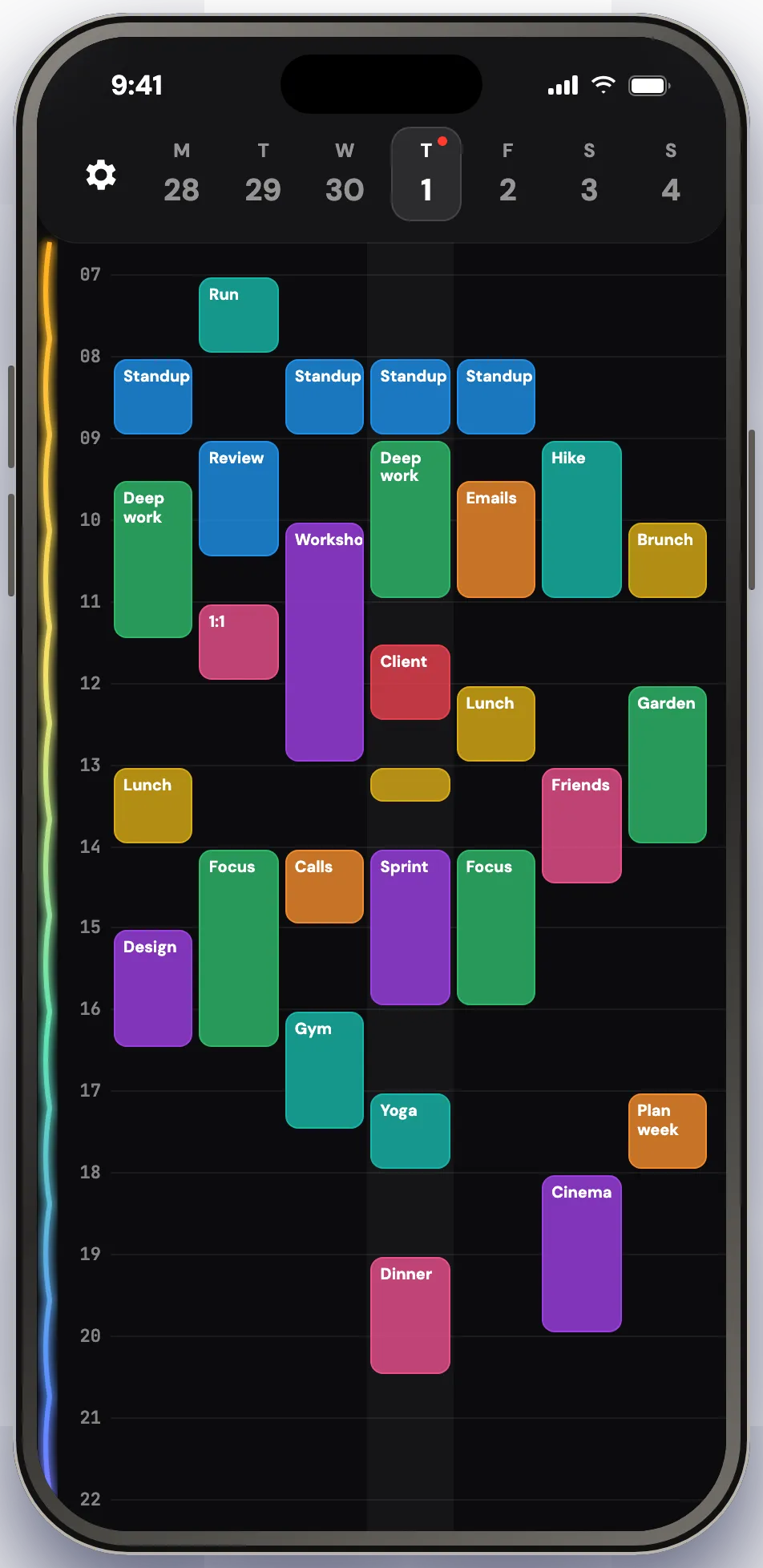
Pinch the grid to zoom out one level at a time, and pinch back in to the day. Every level stays anchored on the day under your fingers, so you never lose your place. The month shades each day by how full it is, so a heavy week shows up before it arrives. Long press the button in the bottom right to jump straight back to today.

TaskCard week view with every day's time blocks side by side
Week
TaskCard month view shading each day by how full the schedule is
Month
TaskCard year view as a grid of days
Year

96 presets

Start from something, not from nothing

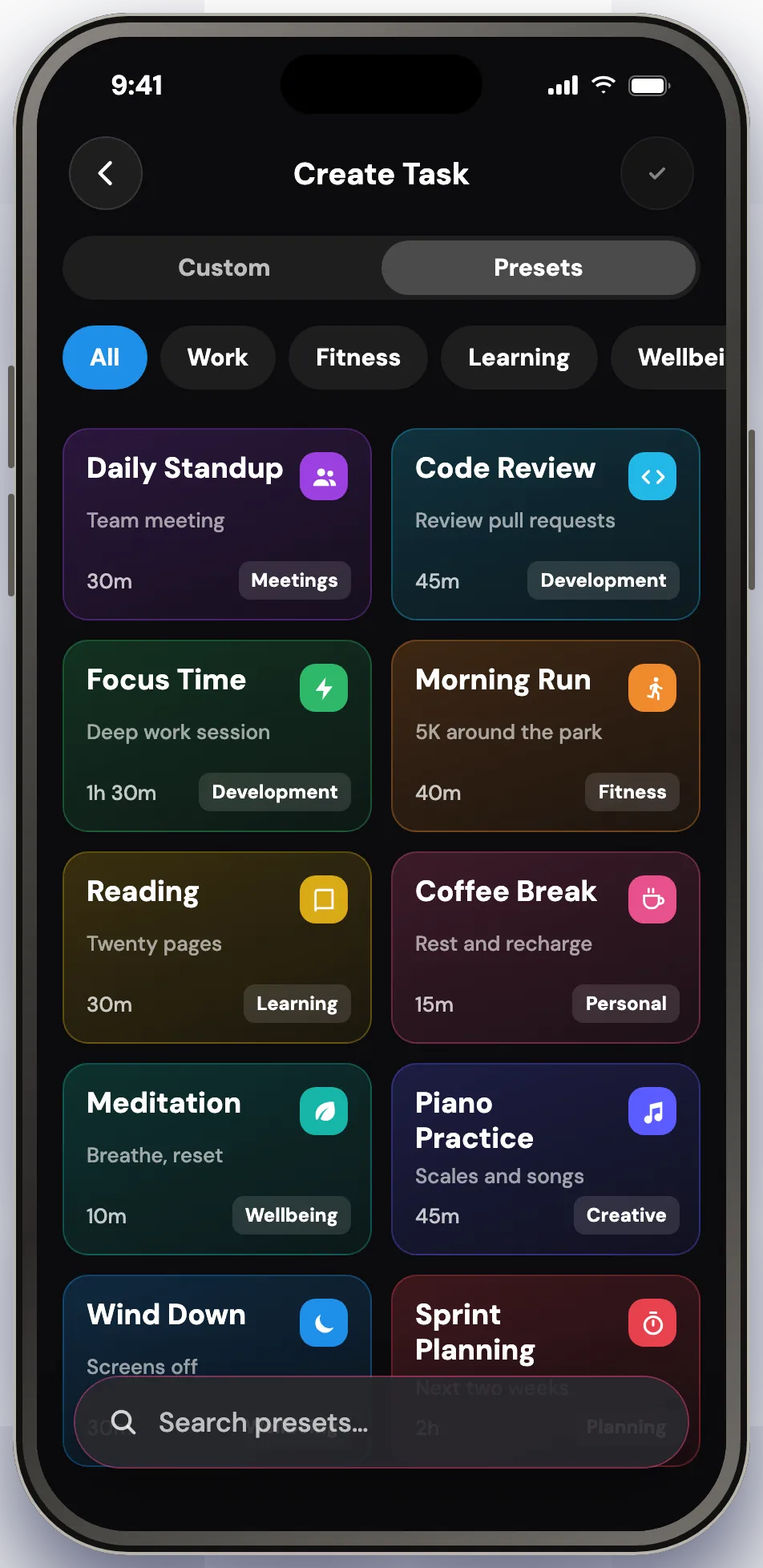
A library of 96 ready-made tasks across work, learning, wellbeing, creative, home, sports, food, social, outdoors and entertainment. Each one arrives with its own duration, color, icon and repeat rule, so a routine takes a tap instead of a form.

TaskCard preset library with ready-made task cards grouped by category

Card styling

Make every card truly yours

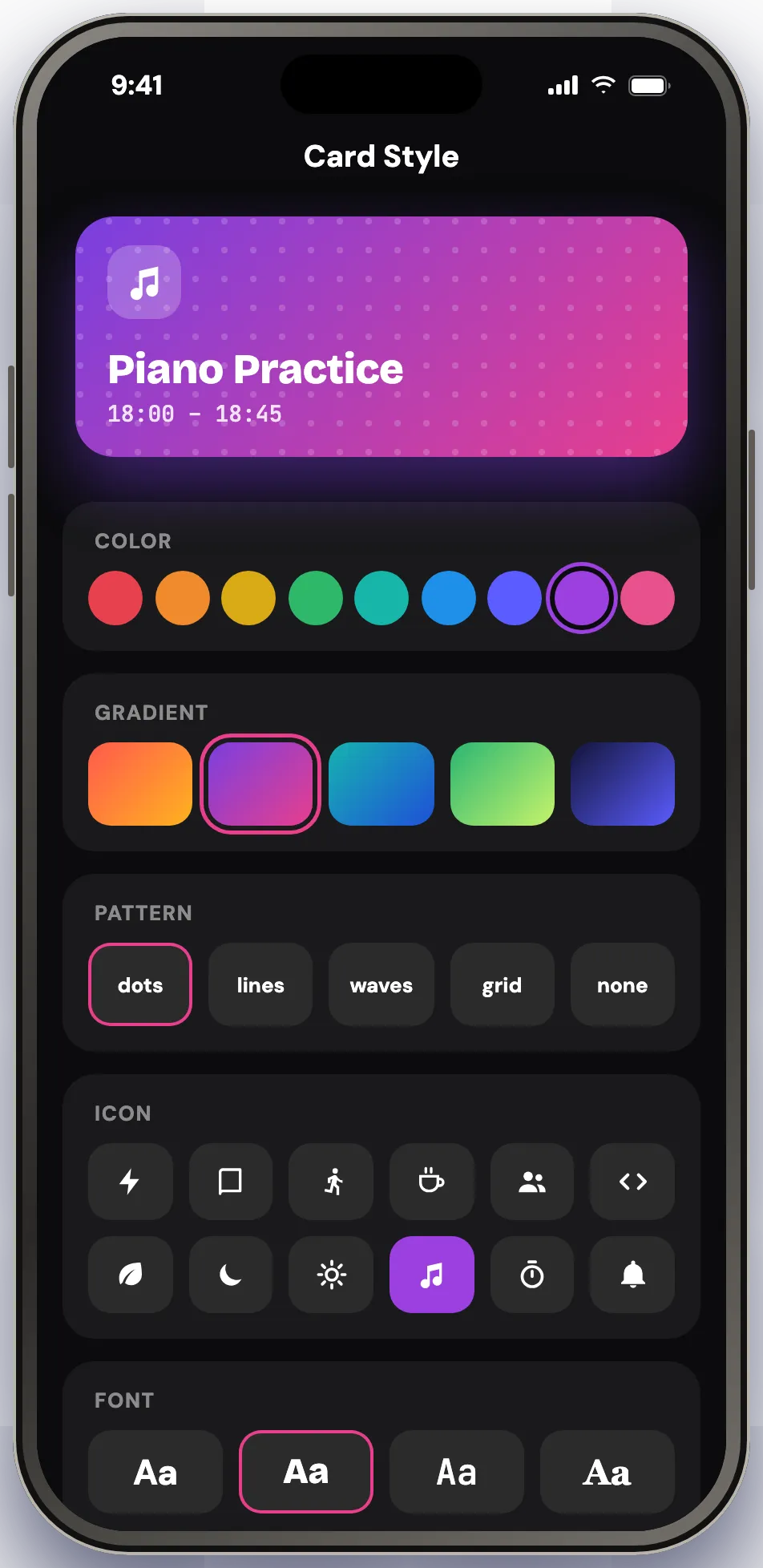
Pick colors, gradients, fonts, patterns, icons and emoji per card. Set a priority from low to urgent and let color do the sorting. Repeat daily, on weekdays, weekly, or on a pattern of your own — repeats are handled as a series, so editing one occurrence does the right thing to the rest.

TaskCard card styling screen with color, gradient, pattern, icon and font options

Live Activity

Never miss a single block

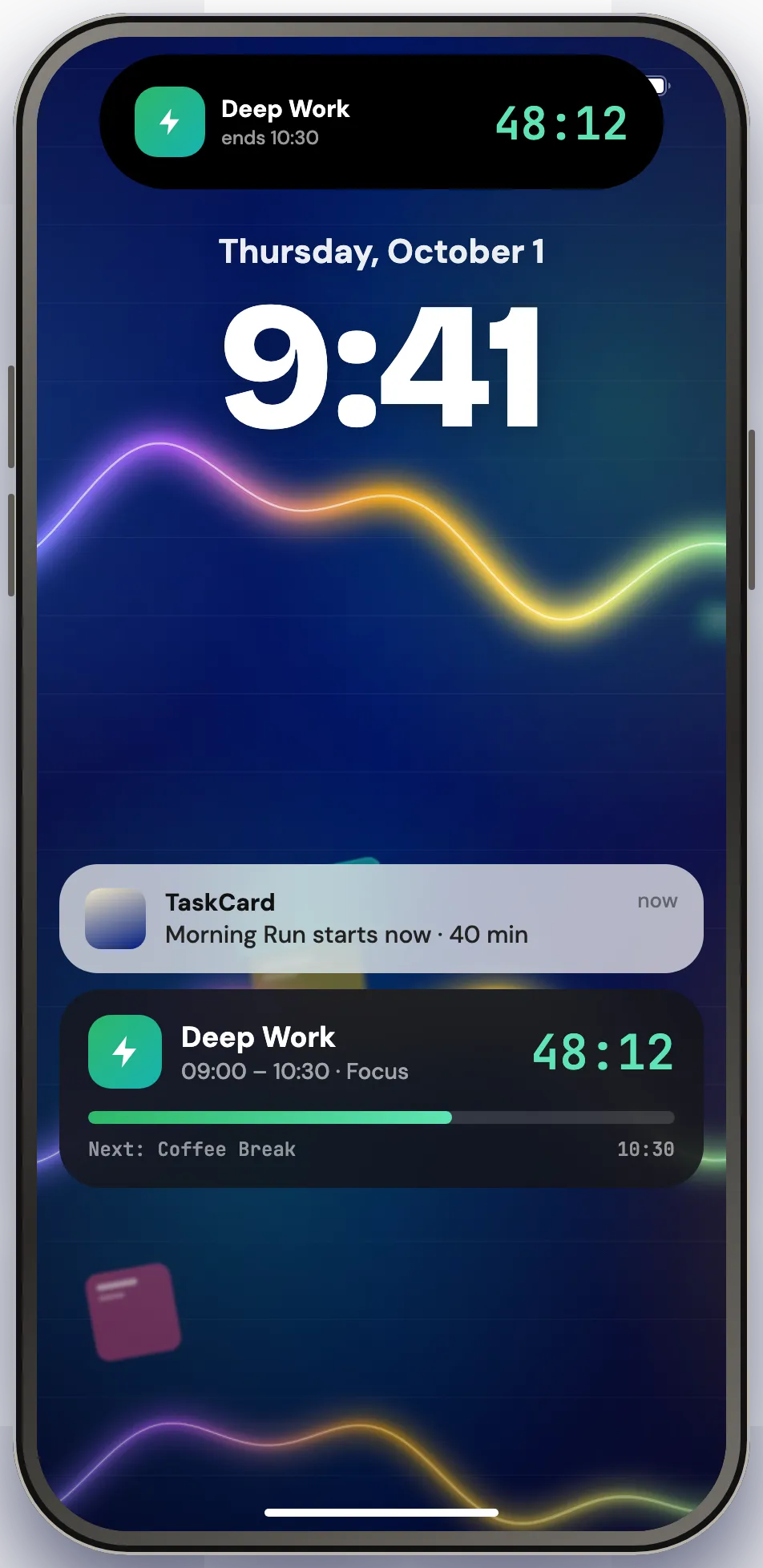
A notification when a block starts and when its time is up, plus an optional alarm for the ones you cannot miss. A Live Activity keeps the countdown and what is next on your Lock Screen and in the Dynamic Island. Turn reminders off and the pending ones are cancelled with them.

TaskCard Live Activity counting down a time block on the iPhone Lock Screen and Dynamic Island

Widgets

Today on your Home Screen

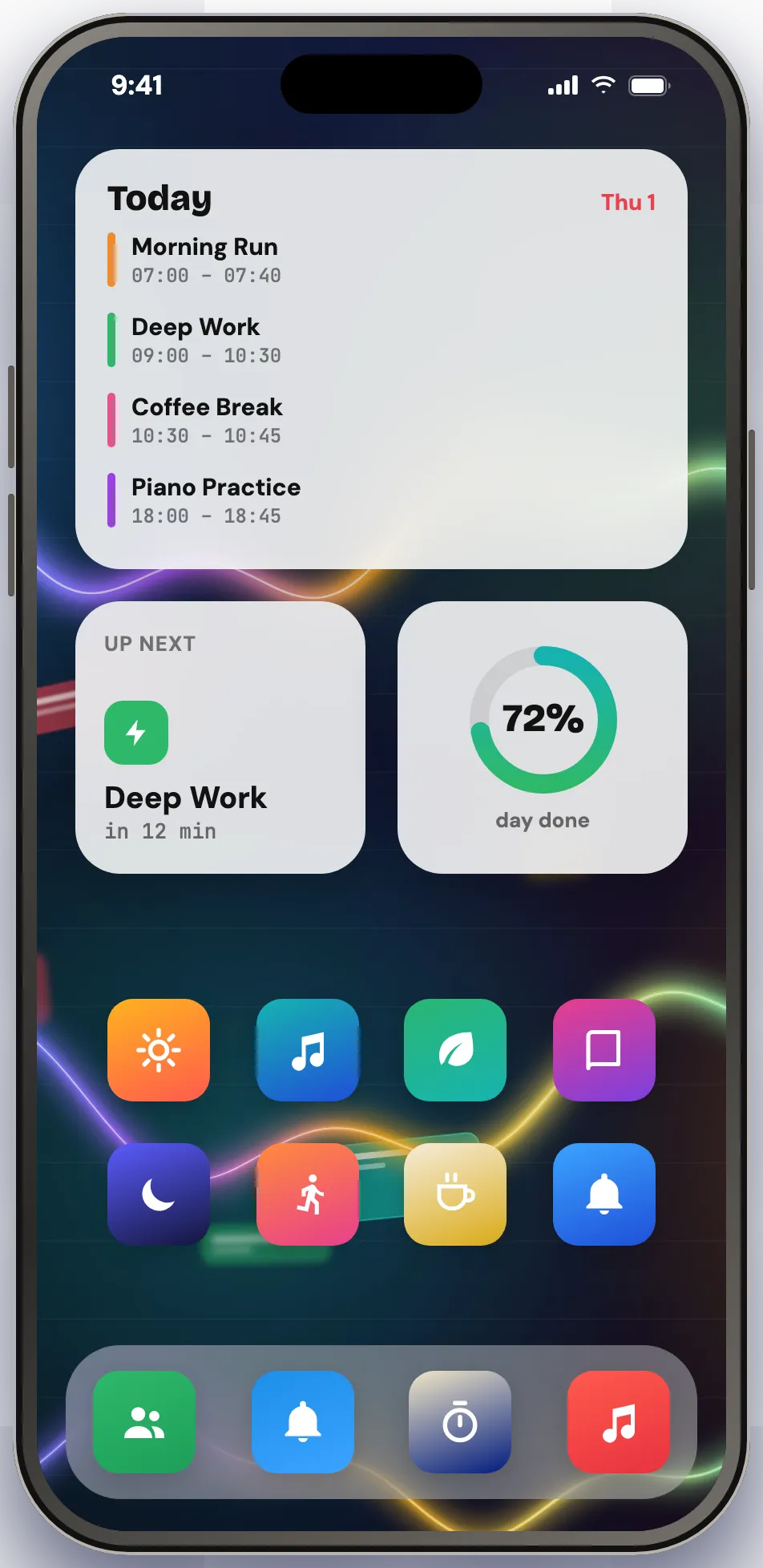
Today's Tasks, a compact Mini Timeline, and a Task Chart covering 7, 14 or 30 days. Small, medium, large and Lock Screen sizes, so the plan is there before you open anything.

TaskCard widgets on an iPhone Home Screen showing today's time blocks and a mini timeline

Light and dark

Light or dark, your call

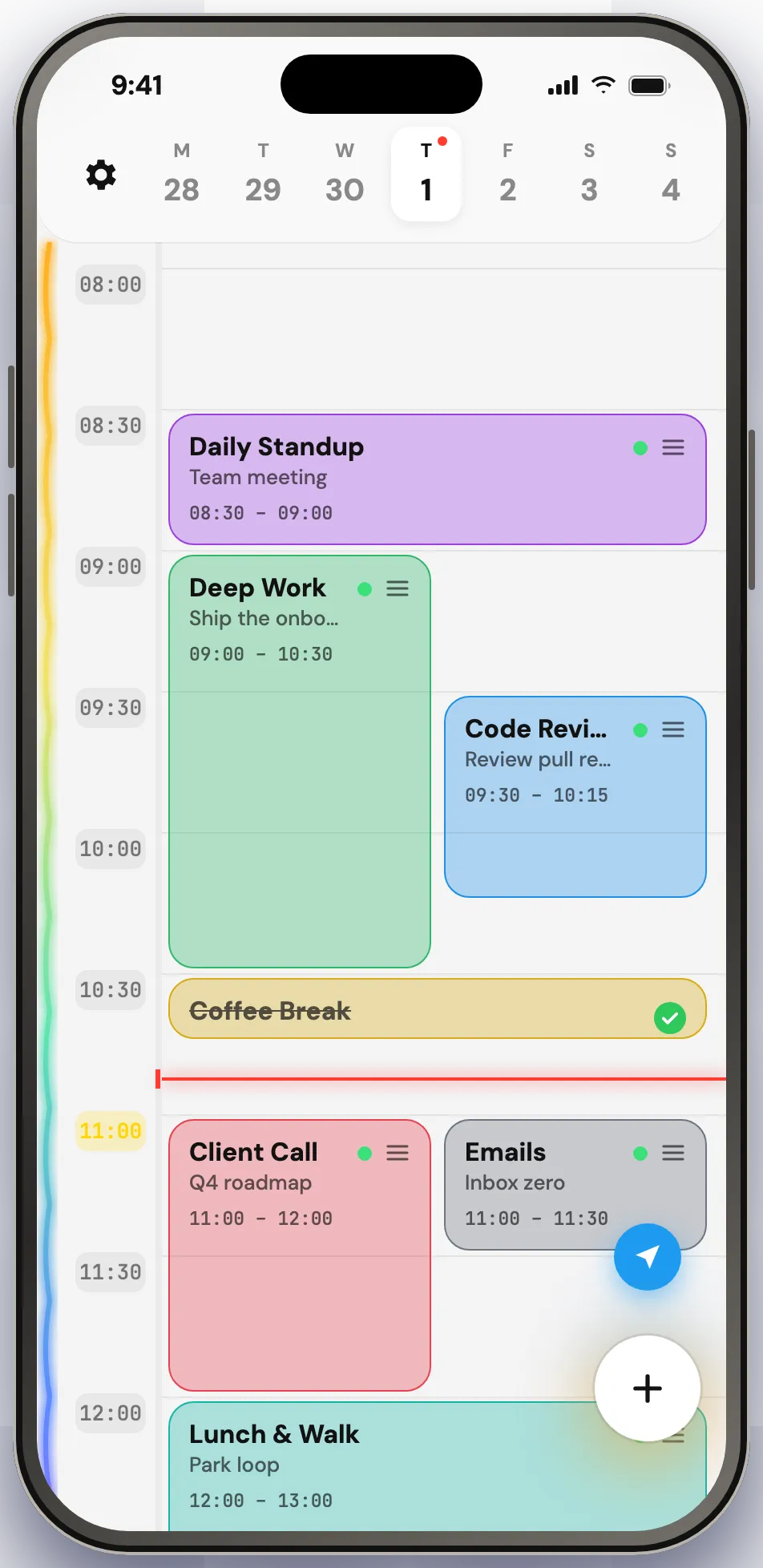
The grid follows your system theme or stays where you put it. Completed blocks dim and cross out instead of disappearing, so finishing the day still looks like something. Smooth at 120 Hz on ProMotion displays, steady while dragging and scrolling.

TaskCard day view in light mode with a completed time block crossed out The same TaskCard day view in dark mode

iPad

More hours on screen

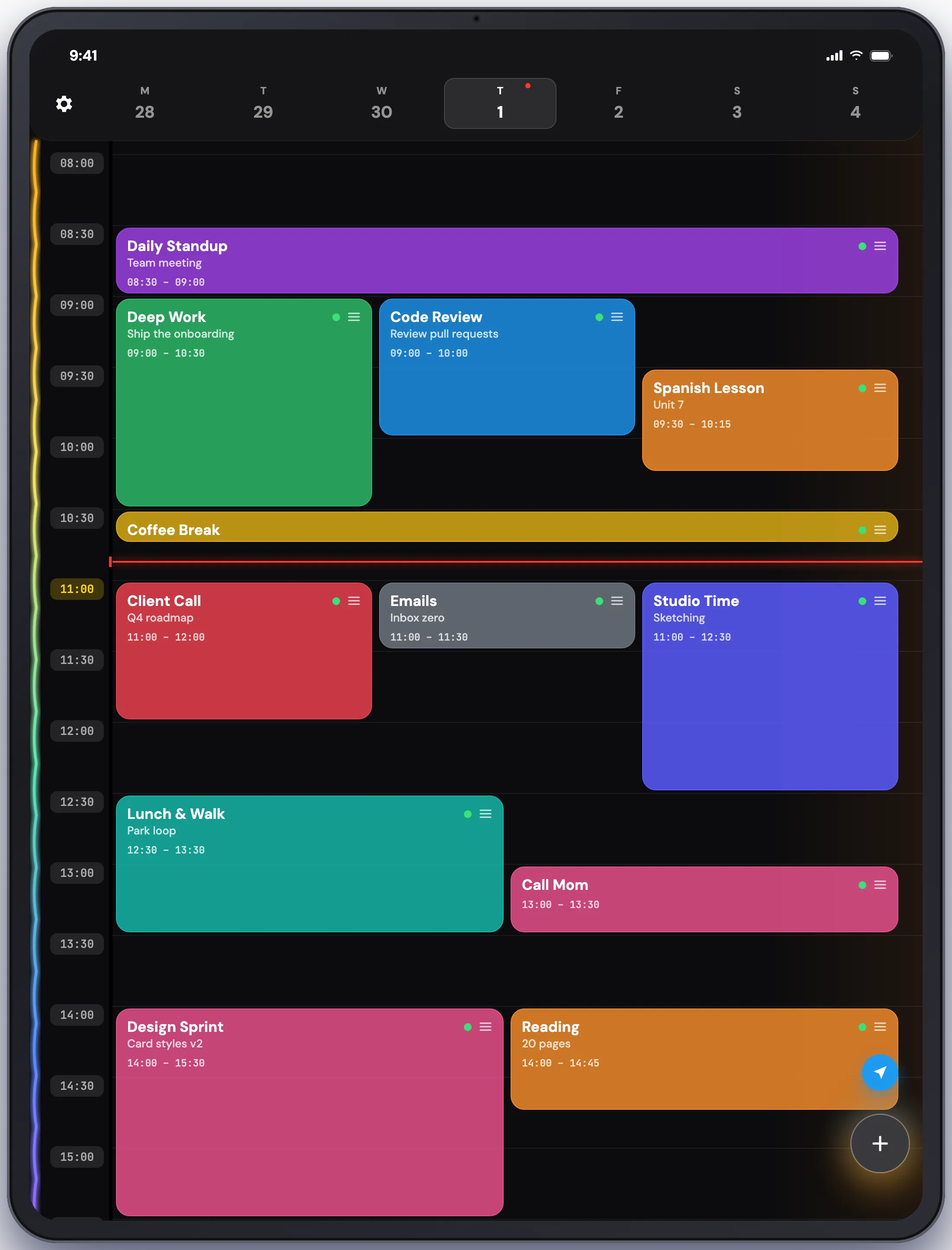
The same grid, wider. Three or more blocks fit across a single hour on iPad, and with Pro your plan syncs over iCloud, so the day you laid out on one device is the day waiting on the other.

TaskCard on iPad with a full day of time blocks across the hourly grid

Privacy

Your day stays yours

No account, no sign-up, no ads, no cross-app tracking. What you write — titles, notes, durations, your whole schedule — never leaves the device. Turn on sync and it travels through your own iCloud account, between your own devices, and nowhere else.

One thing does leave: on the very first launch the app sends a single anonymous ping with your device model, iOS version and locale, so we know an install happened. Once, never again, and never anything you typed. The policy spells out every field.

Read the privacy policy →

Pricing

TaskCard Pro

Pro unlocks the whole app: creating tasks, every widget, iCloud sync across iPhone and iPad, and analytics on how much of each day you actually finish. Both subscriptions start with 7 days free.

  • Monthly

    $1.99 /month
    7 days free first
  • Yearly

    Best value
    $14.99 /year
    7 days free first
  • Lifetime

    $29.99 one-time
    No renewal

Prices are in US dollars and shown in your local currency on the App Store. Subscriptions auto-renew until cancelled; Lifetime is a one-time purchase with no renewal.

Questions

  • What is time blocking?

    Time blocking means giving every task a start time and a length instead of a place in a list, so your day is planned as a sequence of blocks rather than an open set of intentions. TaskCard is built around that: you pick a start and a duration, and the task becomes a block on a 24-hour grid you can drag, stretch and finish.

  • Which devices does TaskCard run on?

    iPhone and iPad, on iOS 17.0 and later. There is no Mac, Android or web version.

  • Is TaskCard free?

    The download is free, and both subscriptions start with 7 days free. TaskCard Pro is what unlocks creating tasks, every widget, iCloud sync and analytics. Pro is $1.99 a month, $14.99 a year, or $29.99 once with no renewal.

  • Do I need an account?

    No. There is no sign-up and no server of ours. Your plan lives on your device, and syncs through your own iCloud account if you turn sync on.

  • Does TaskCard work offline?

    Yes. The whole app runs on your device, so planning, reminders and widgets work with no connection at all. iCloud sync catches up the next time you are online.

  • What does the free trial include?

    Both subscriptions start with 7 days free, and the trial unlocks the whole app — task creation, widgets, iCloud sync and analytics. Cancel any time before it ends and you are not charged.

  • What happens to a task I do not finish?

    It stays on the grid where you left it. Drag it to a new hour, stretch it to a new length, or let a repeating series pick it up tomorrow.

  • Can a task run past midnight?

    Yes. A block that crosses midnight stays visible on both days, and editing or deleting one occurrence of a repeating series does the right thing to the rest.

Something missing? Email us →